
Every invoicing tool, and the plan it's in.
The free plugin creates, numbers and emails a PDF invoice for every WooCommerce order, with ZATCA e-invoicing built in. Pro adds more documents, templates, custom fields, bulk export, cloud storage and Vitepos.
Invoicing core
Everything you need to invoice every WooCommerce order. Free forever.
Automatic PDF invoices
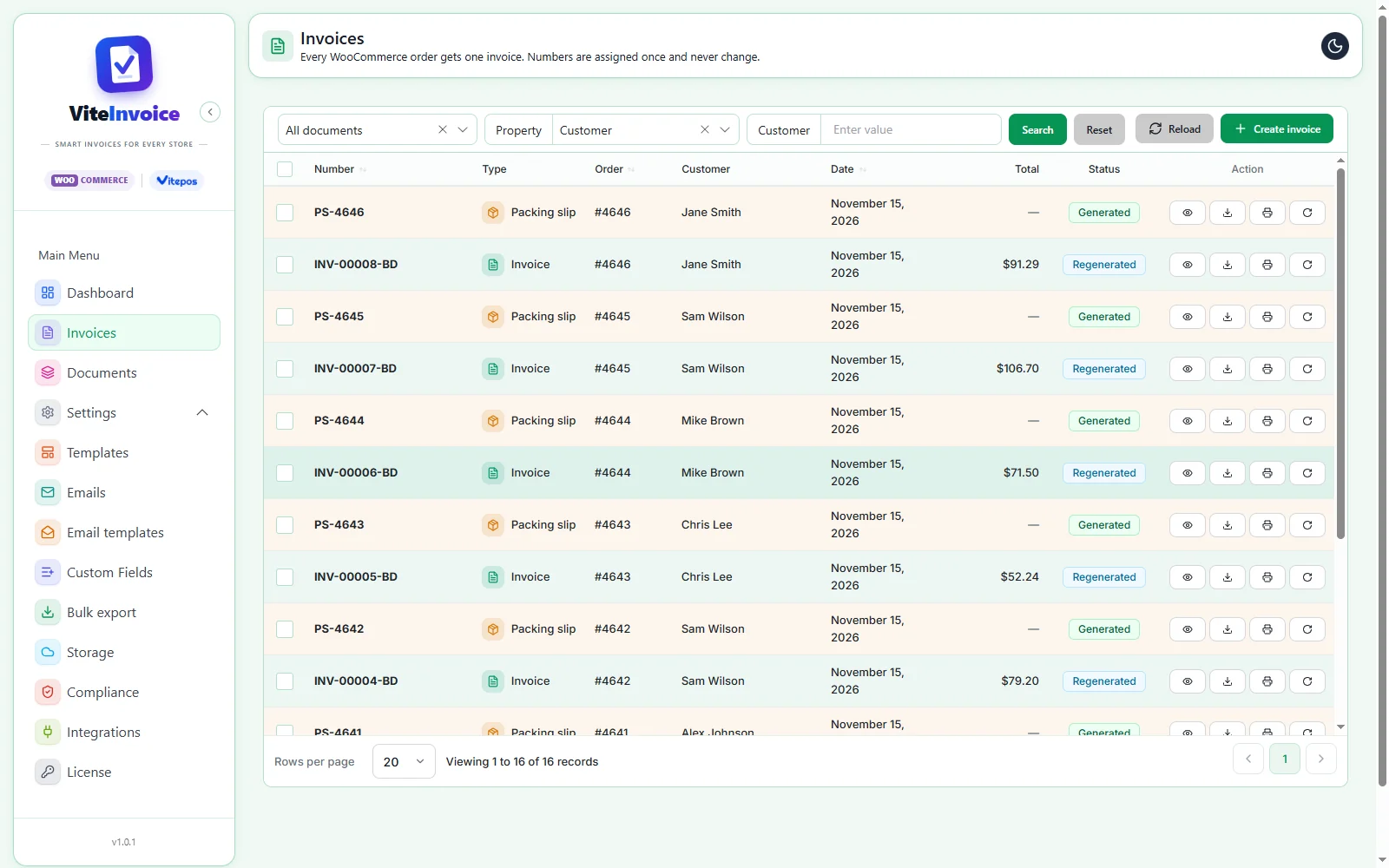
Pick the order status that creates the invoice, and every order gets its PDF on its own. You can also create one by hand, and skip free orders or statuses you never invoice.
- One order, one invoice: duplicates are impossible
- View, download, print or regenerate from the list
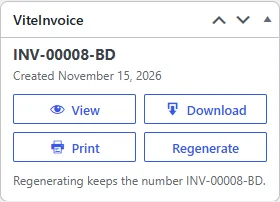
- The same buttons on the WooCommerce order screen
- Works with WooCommerce HPOS
Safe invoice numbering
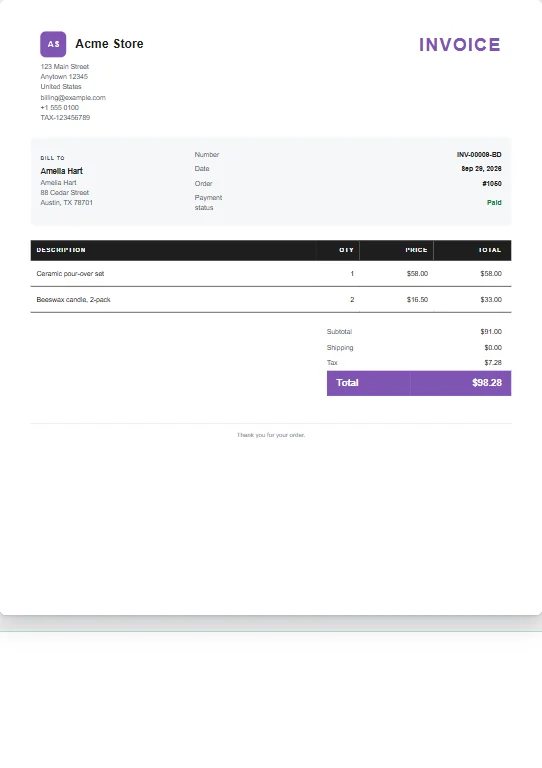
Numbers like INV-00042, built from a prefix, start number, length and suffix, with an optional reset period. A number is assigned once and never changes, even when you regenerate the PDF.
- Prefix, suffix, padding and start number
- Optional reset period
- Regenerate keeps the same number
- Duplicates blocked in the database
Template and live preview
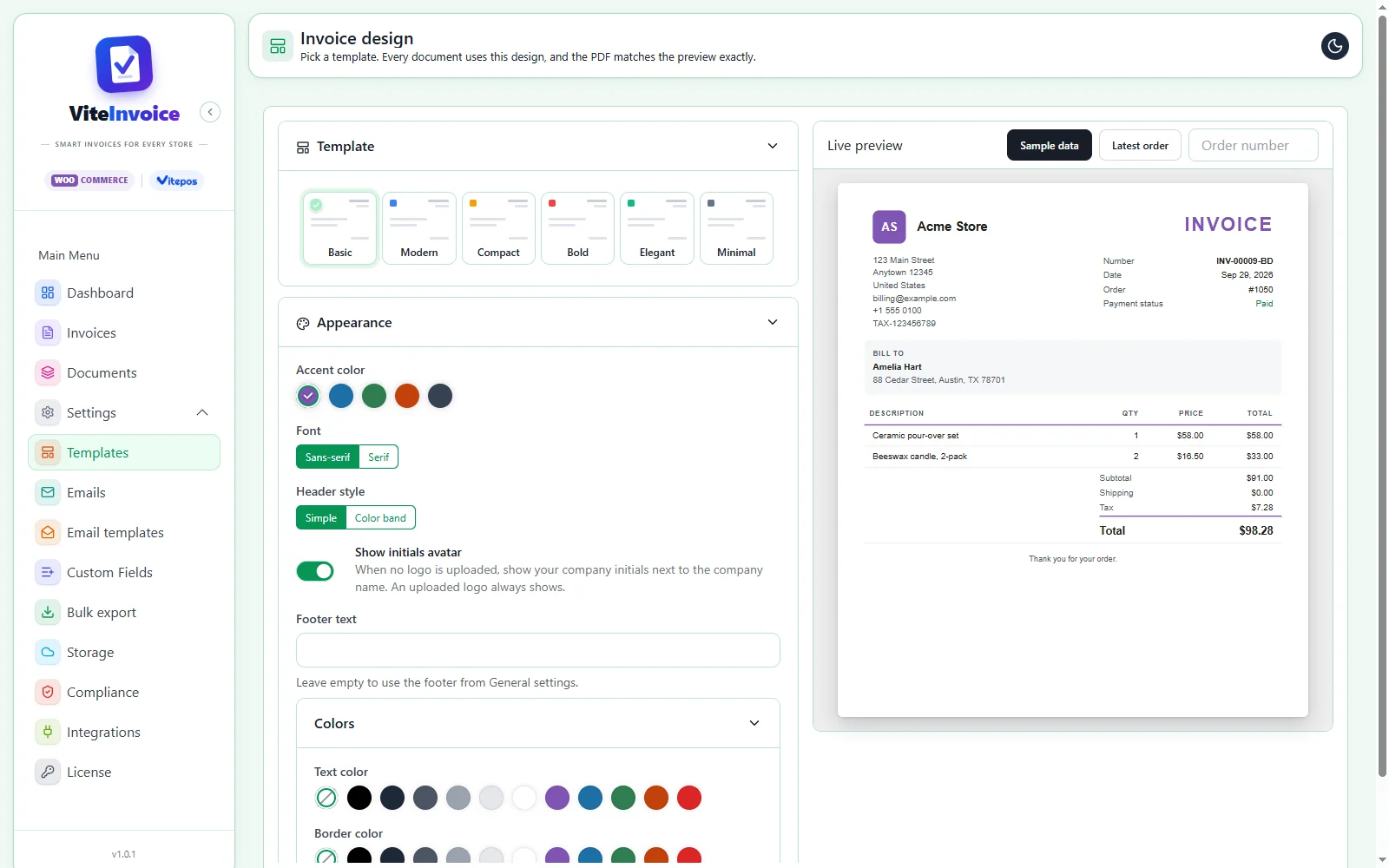
Choose an accent color, font, header style and footer text. The preview updates as you click, with sample data or a real order, and the PDF matches it exactly.
- Preview with sample data or your latest order
- Logo or initials avatar
- Choose your paper size
- Same data for preview and PDF
Email attachments
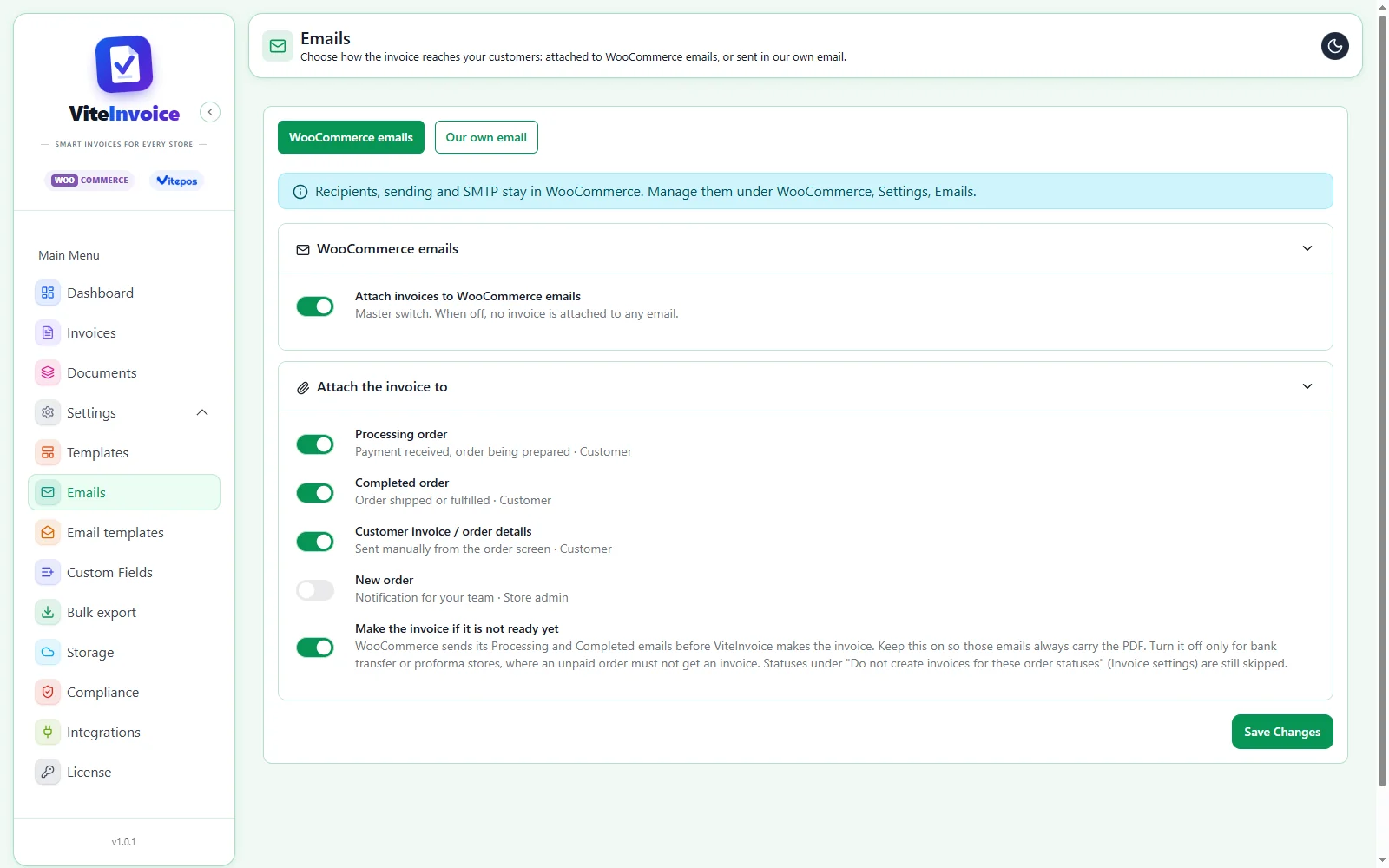
Attach the invoice to the WooCommerce emails you choose, or send it in our own email. Vite Invoice makes the invoice first if WooCommerce sends the email before it exists.
- Processing, Completed and Customer invoice emails
- Or our own email with an editable template
- Recipients and SMTP stay in WooCommerce
- Never sends mail on its own
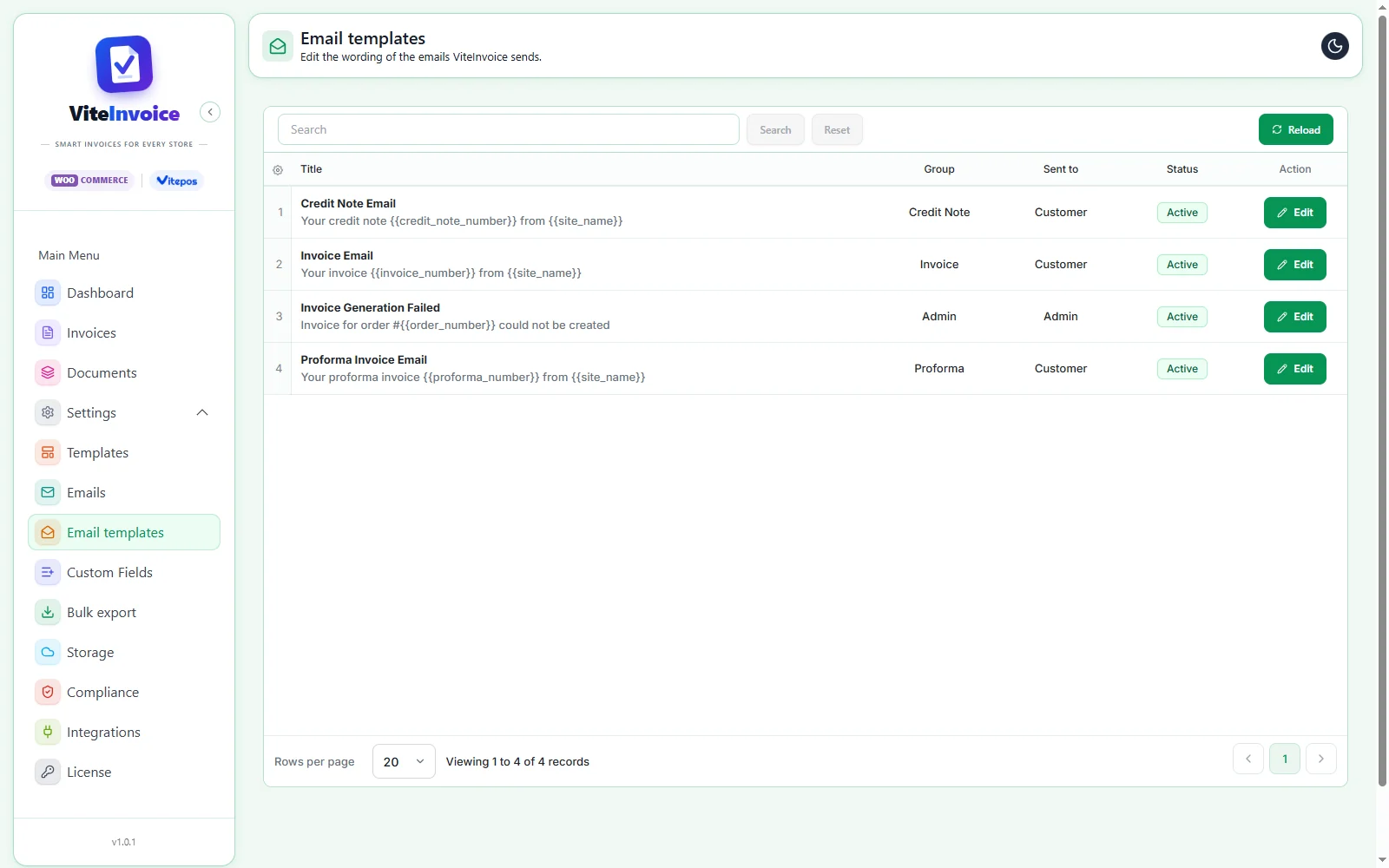
Email templates
Edit the wording of the emails Vite Invoice sends, with placeholders for the invoice number, site name and more.
- Rich-text editor
- Switch each email on or off
- Admin alert when an invoice cannot be created
- Placeholders such as {{invoice_number}}
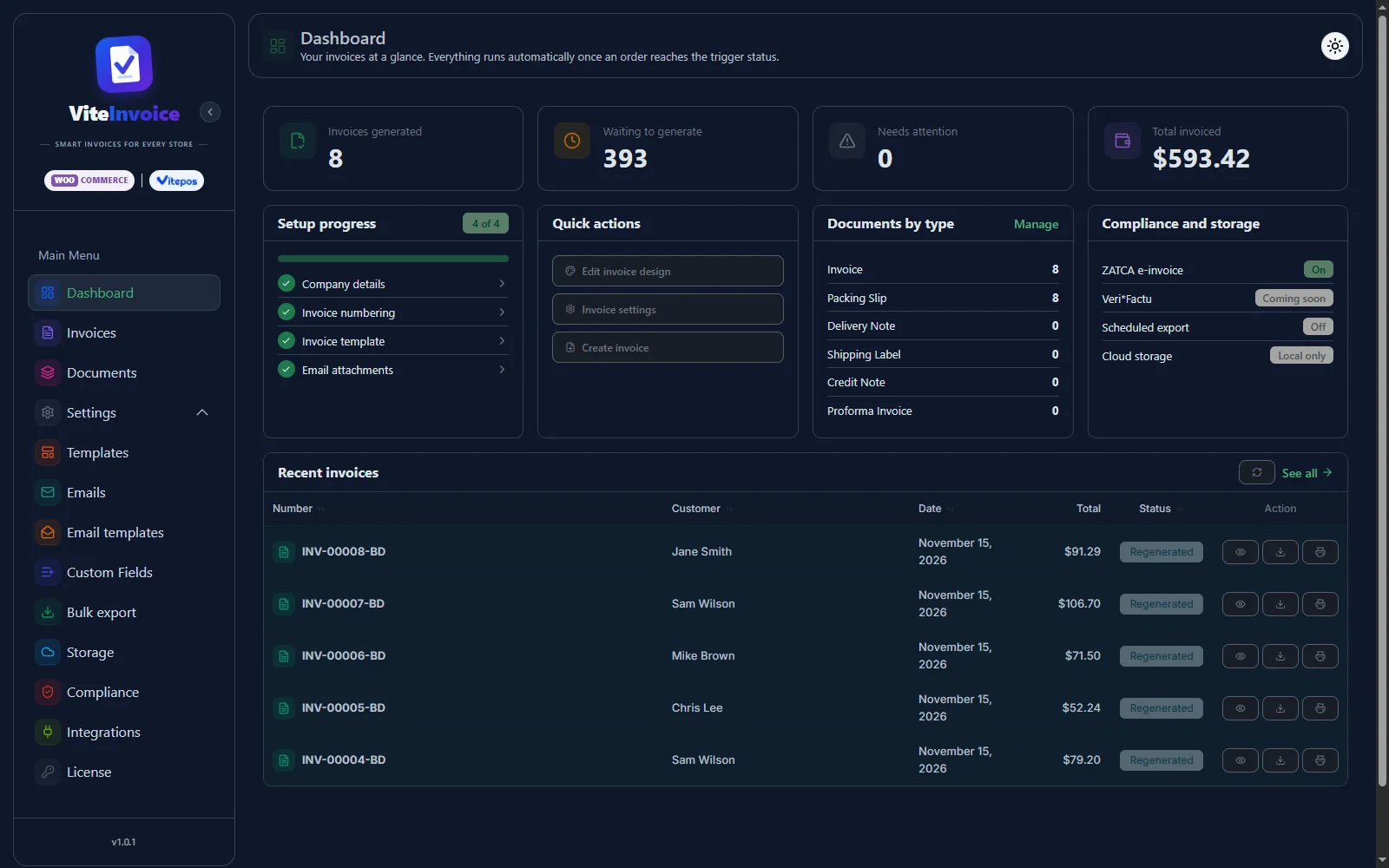
Setup wizard and dashboard
A two-minute wizard sets your business details, numbering, design and customer options. The dashboard then shows what was generated, what is waiting and what needs attention.
- Copies your WooCommerce store address
- Setup progress and quick actions
- Light and dark mode
- Recent invoices at a glance
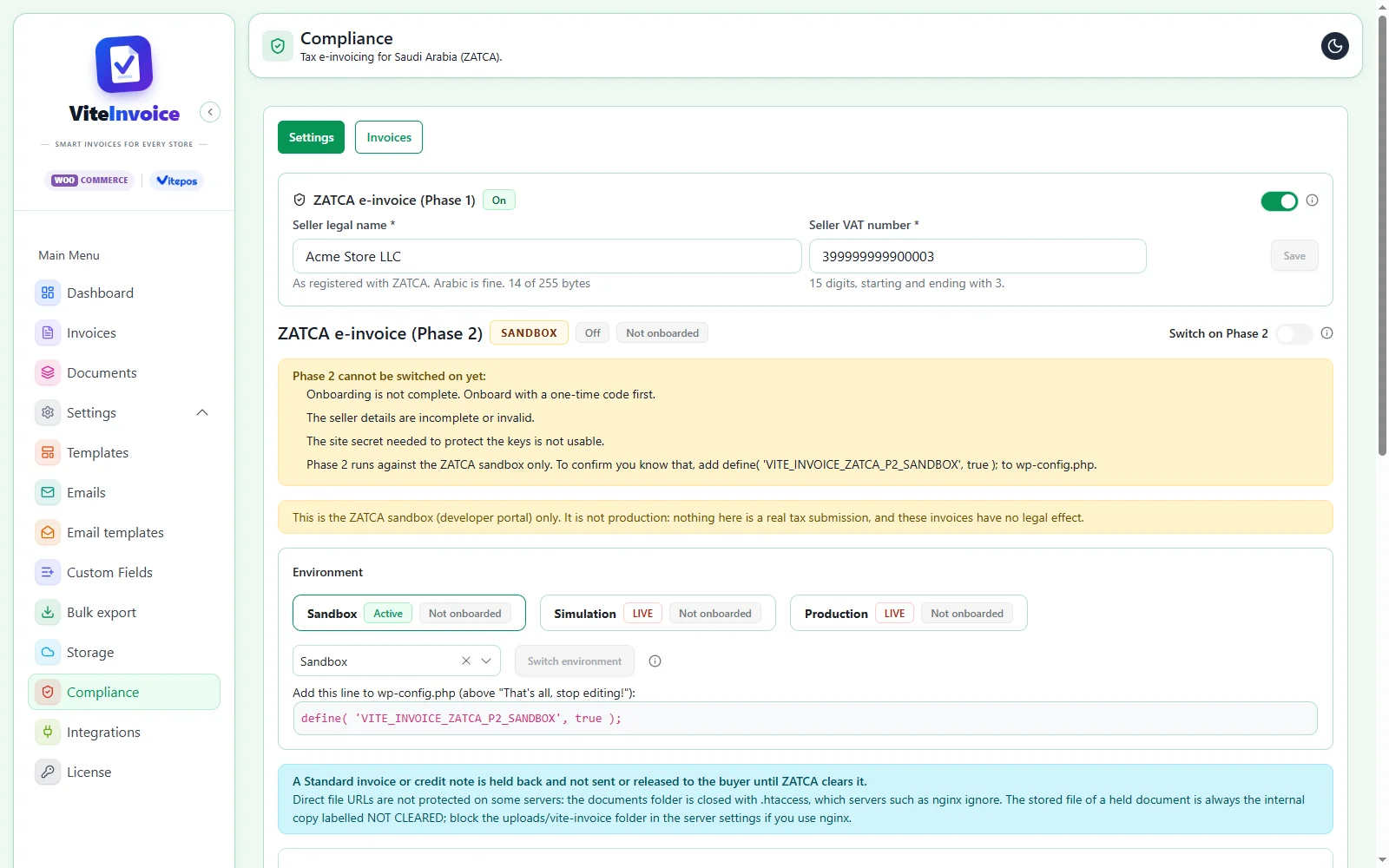
ZATCA e-invoicing, Phase 1 and 2
Selling in Saudi Arabia? Turn on Phase 1 with your seller legal name and VAT number, and invoices become bilingual English / Arabic tax invoices with the ZATCA QR code. Phase 2 onboards your store with a one-time code and reports or clears each invoice with ZATCA.
- Simplified Tax Invoice (B2C) and Tax Invoice (B2B)
- Sandbox, simulation and production environments
- Standard invoices held until ZATCA clears them
- Buyer VAT number box on the order screen
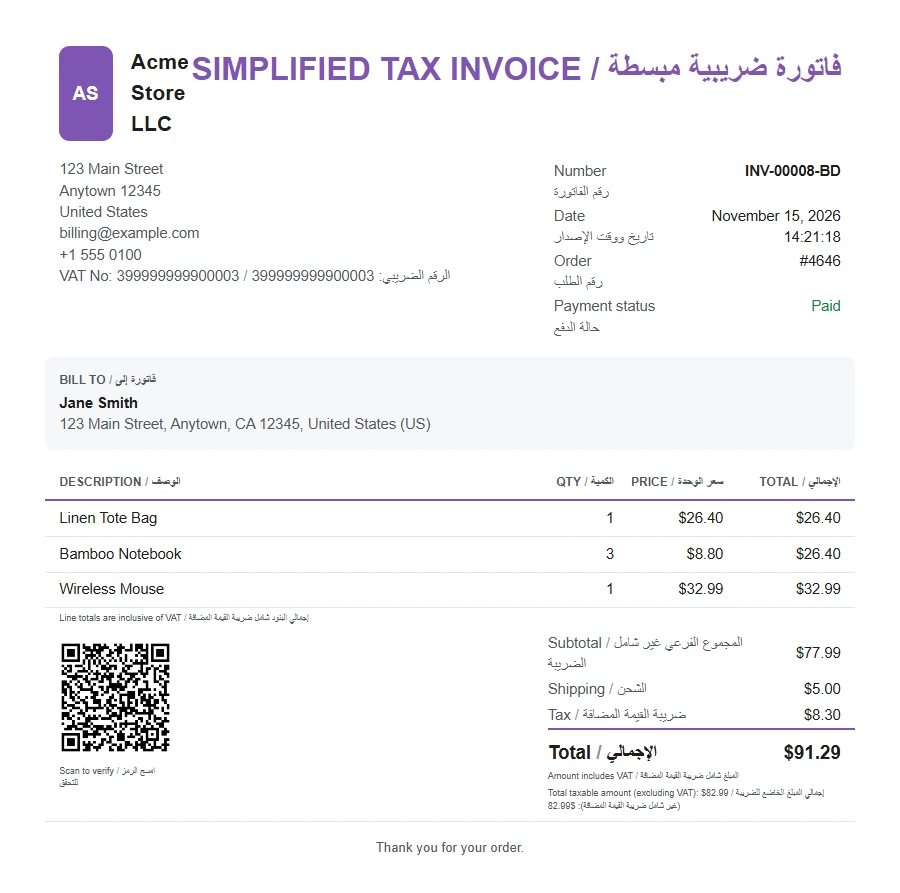
RTL and any language
Documents follow your store language. On a right-to-left language the whole document is mirrored, and Arabic text is shaped properly in the PDF. ZATCA invoices print every label in English and Arabic.
- Mirrored layout for right-to-left languages
- Shaped Arabic text in the PDF
- Translation-ready with Loco Translate or Poedit
- Follows the store language, not the admin
Pro tools
More documents and automation for busy stores. Everything in Free, plus these.
Vitepos integration
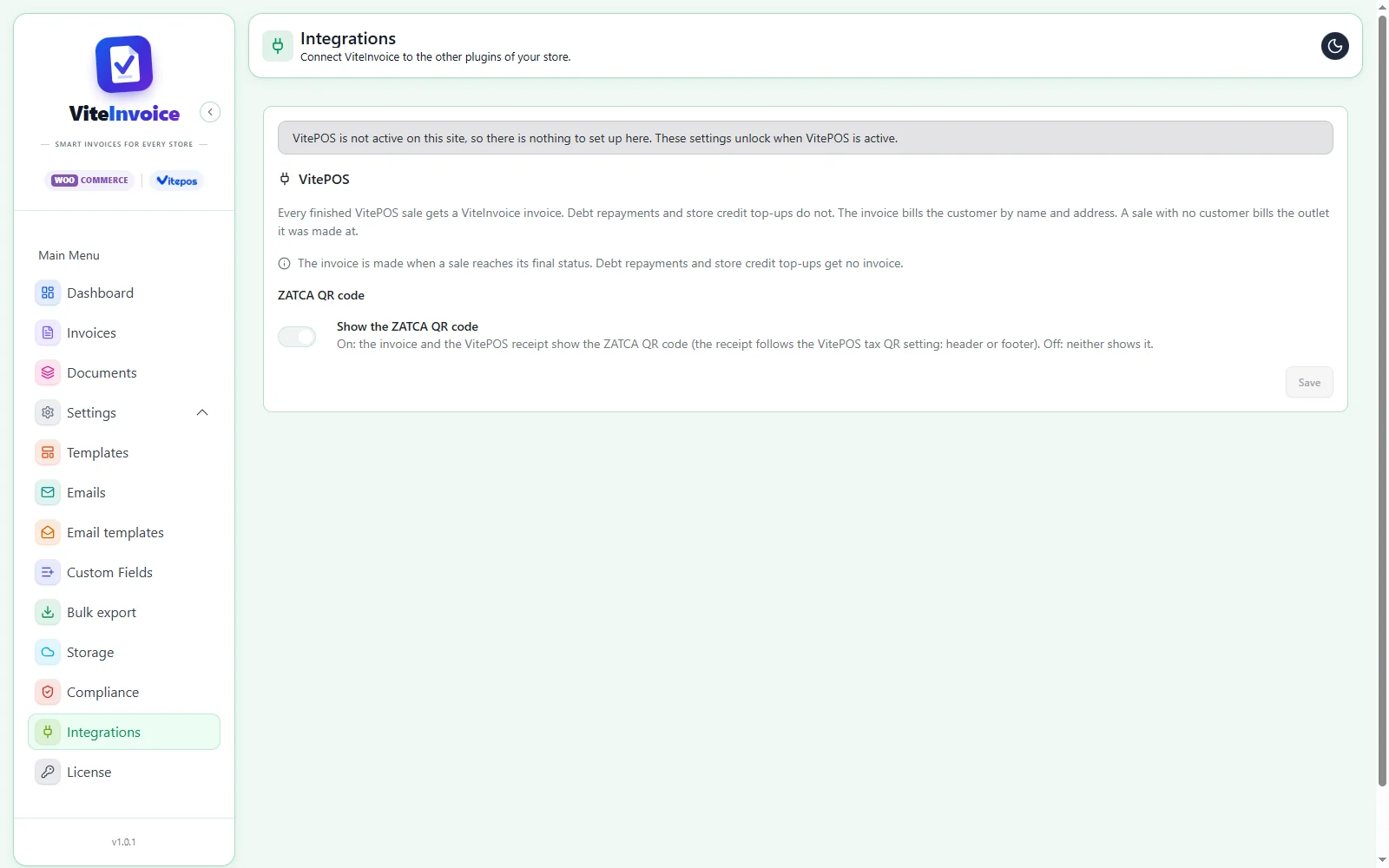
If you also sell in-store with Vitepos, every finished sale gets an invoice from the same engine as your online orders, and the receipt can print the ZATCA QR code. Not using Vitepos? There is nothing to set up.
- One invoice per finished Vitepos sale
- Same numbering and templates as online orders
- ZATCA QR on the receipt, header or footer
- Only needed if you use Vitepos
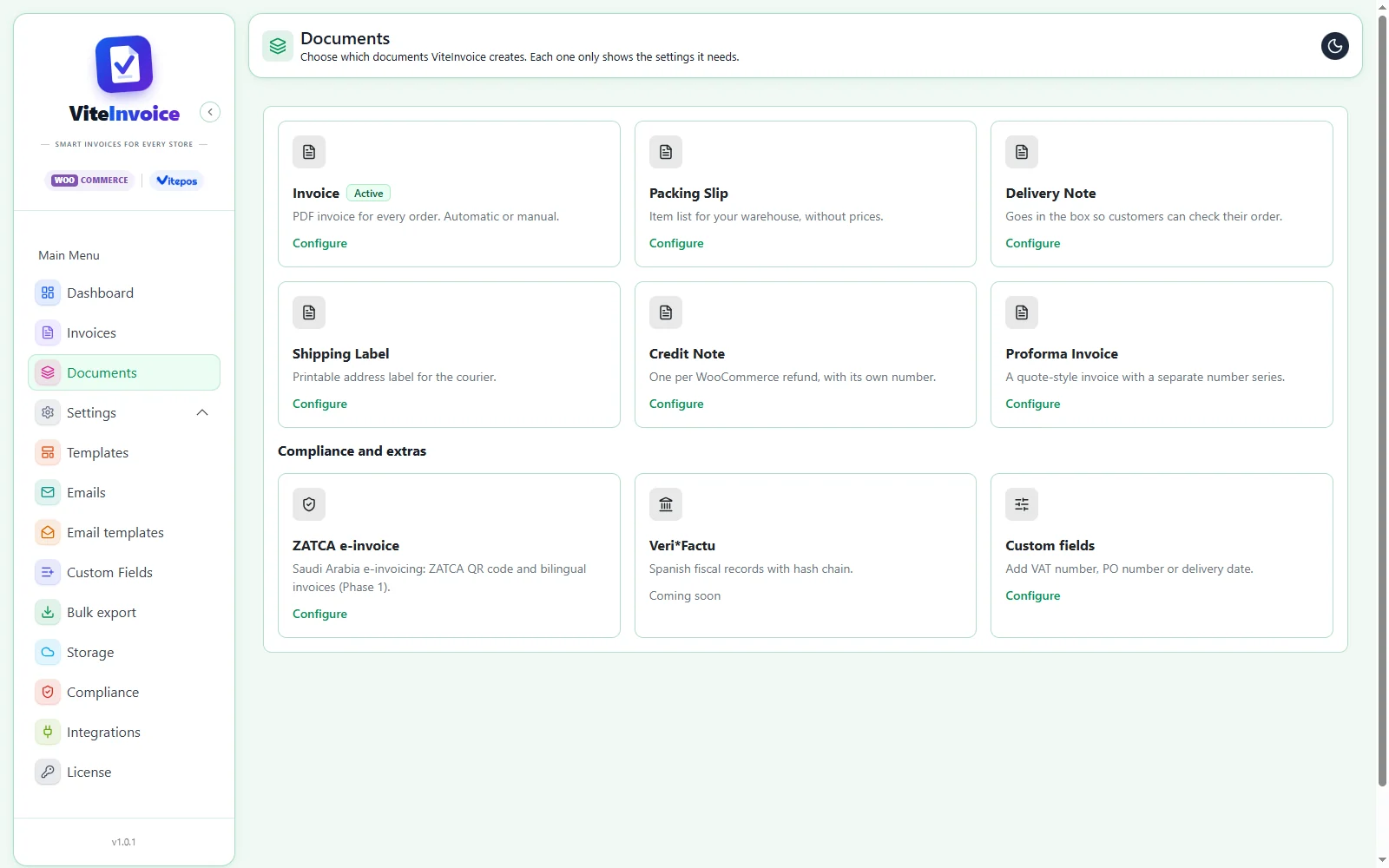
Packing slips, credit notes and more
Each document type only shows the settings it needs, and all of them read the same order data, so they always agree.
- Packing slip and delivery note (no prices)
- Shipping label for the courier
- Credit note per WooCommerce refund
- Proforma invoice with its own number series
Five more templates
Modern, Compact, Bold, Elegant and Minimal join the Basic template. Every template honors your colors, logo and the fields you switch on.
- Product images on line items
- Barcode or QR code
- Custom fields printed on documents
- Same live preview
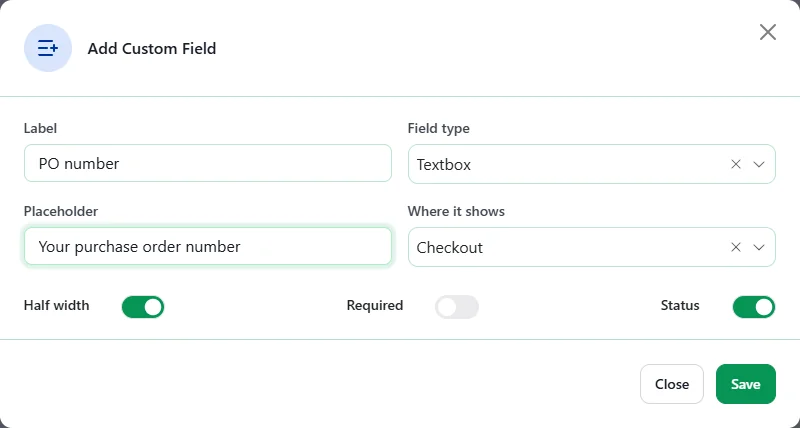
Custom fields
Collect extra details at checkout or fill them in on the order, such as a PO number, a delivery date or a buyer reference, and print them on your documents.
- Shown at checkout or on the order
- Required or optional
- Half or full width
- Switch each field on or off
Bulk export
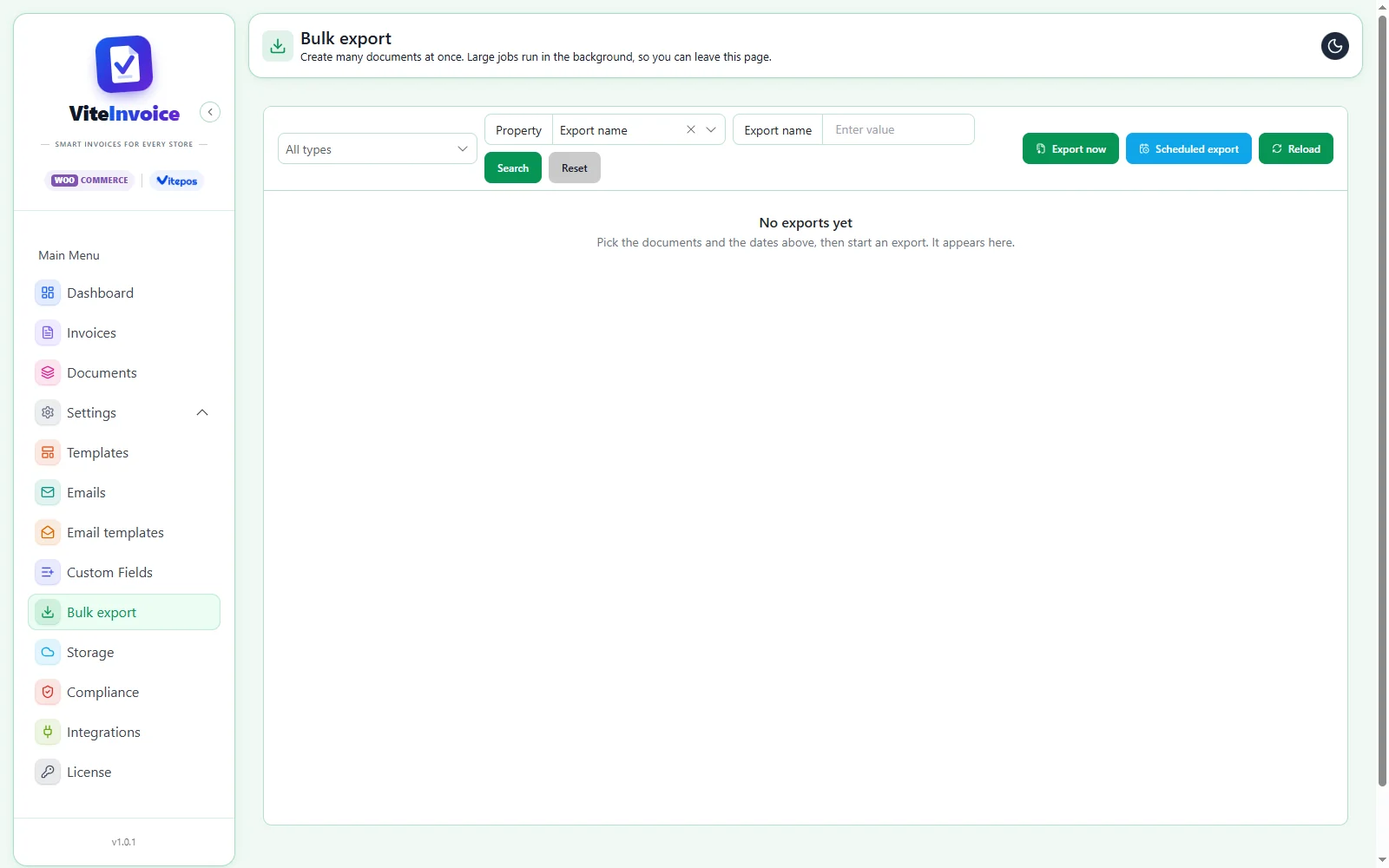
Create many documents at once, for the date range and document types you pick. Large jobs run in the background, and a scheduled export can run on its own.
- Export now or on a schedule
- Runs in the background
- Leave the page while it works
- Download the result
Google Drive and Dropbox
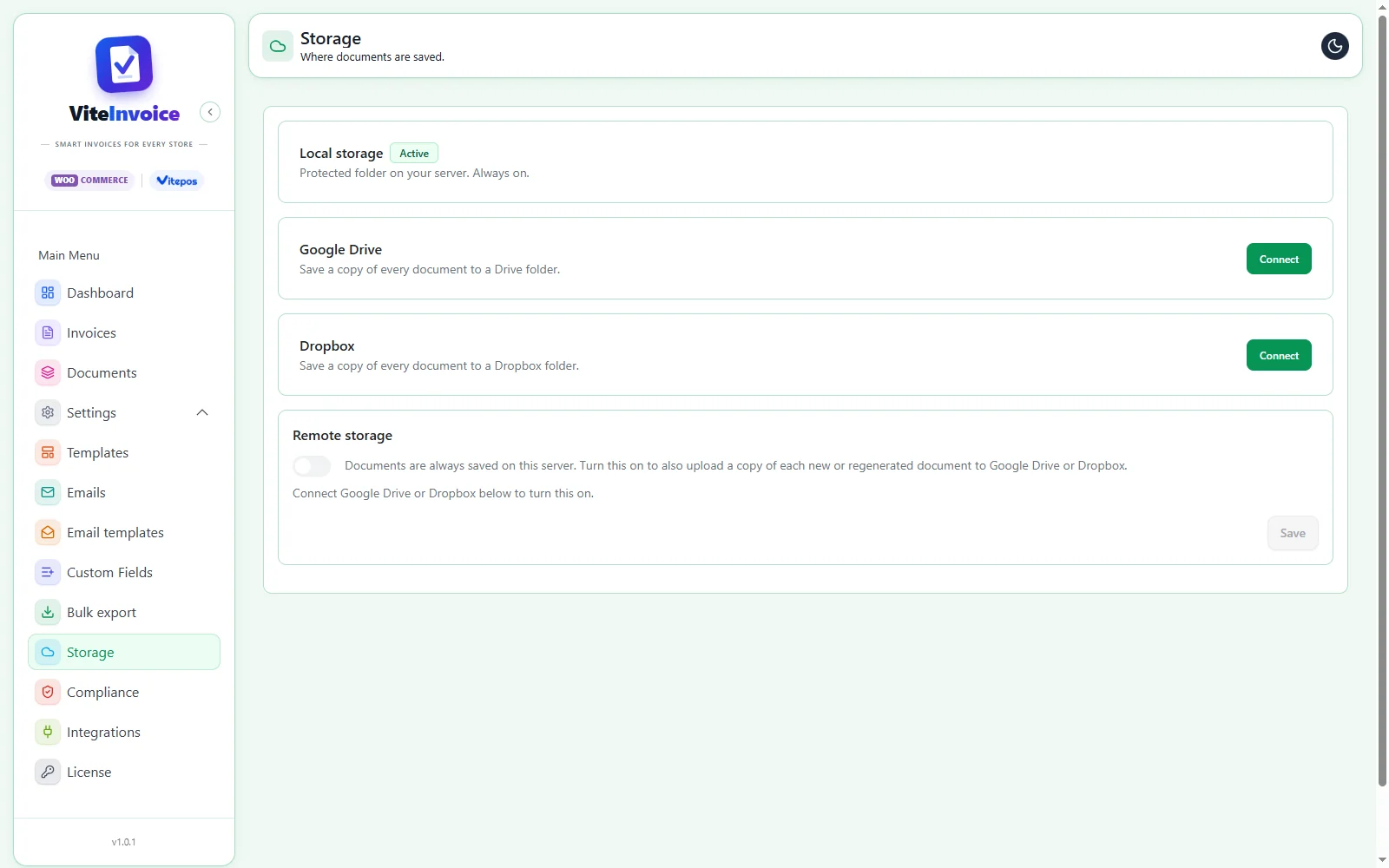
Documents are always saved in a protected folder on your server. Pro can also upload a copy of every new or regenerated document to Google Drive or Dropbox.
- Connect Google Drive or Dropbox
- Copies of new and regenerated documents
- Local copy always kept
- Turn remote copies on or off
Start invoicing free. Add Pro when you need more.
Works on any WooCommerce store, and with Pro, for your Vitepos sales too.